Billing that fits the contract
Progress billing, time and materials, or cost-plus billing, according to the contract.

Connect your projects, finances and job-site operations with a construction solution built on Microsoft Dynamics 365 Business Central. Developed by OnTarget and supported by Builthink’s construction expertise, BC4Construction brings your teams and project information together.
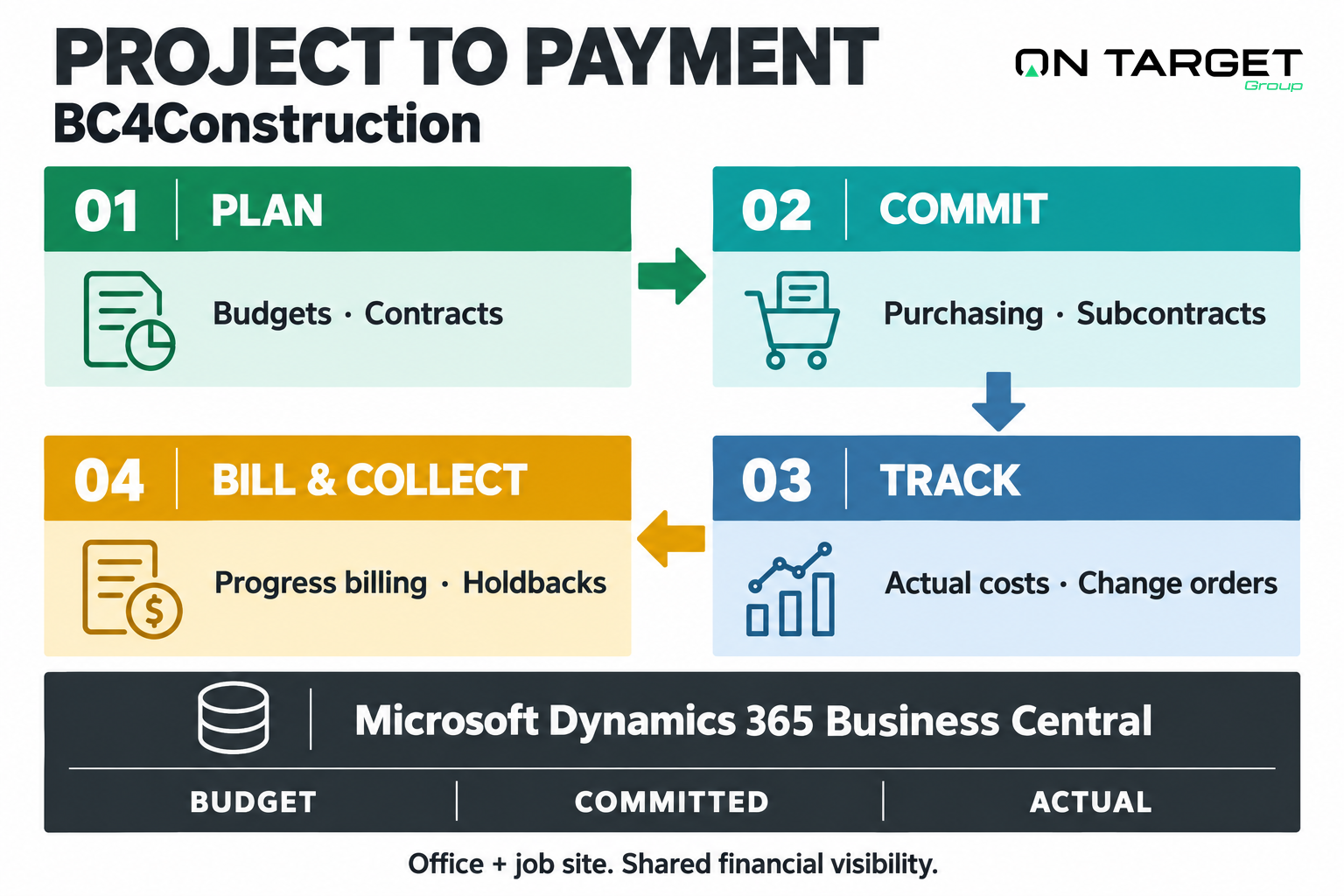
Construction-specific workflows connect project management and financial control in Microsoft Dynamics 365 Business Central.
Progress billing, time and materials, or cost-plus billing, according to the contract.
Prepare, approve and convert payment requests into customer invoices.
Calculate, track and release holdbacks at the appropriate point in the project.
Track notices and releases centrally by project and supplier, linked to purchase orders and payments.
Link subcontractor payments to the corresponding customer receipts.
Initiate purchases from estimates and manage inventory by project.
Follow budgets, commitments and actual costs while work is underway.
Track approved and billed changes alongside their impact on budgets and margins.
Follow RBQ, CCQ, insurance and ARQ documentation, with reminders.
Prepare federal slips and XML export files from your transactions.
Connect payroll workflows with ADP, Desjardins or Nethris through bidirectional integrations.
Bring requisitions, work orders and timesheets into the same operating environment.
Connect the tools your teams already use. Microsoft applications form the foundation; optional connectors are selected around your systems and requirements.
Autodesk and Procore
Desjardins, ADP and Nethris
Lumen and Docusign
Connector selection, data flows, licensing and configuration are confirmed during project scoping.
Bring the initial contract, approved changes and revised value into one view. Compare budget, commitments and actual costs as the project evolves.
OnTarget develops the platform. Builthink anchors its implementation in your operations. Together, we connect the software, the processes and the people who use it.

Product creator and architect
Designs, develops and evolves BC4Construction on Business Central, connecting ERP, Microsoft 365, Power Platform, integrations and AI.
Construction and implementation expertise
Guides process improvement, implementation, training and adoption so the solution becomes part of everyday operations.
Agree on governance, business objectives and the project plan. Review current processes and define the functional roadmap.
Start from the best standard: BC4Construction workshops, activity codes and the main operating workflows.
Configure the solution, import data, connect systems and validate security and workflows with users.
Test real operating scenarios on a pilot project, make adjustments and prepare the cutover plan.
Train teams, complete the final migration and support go-live with hands-on assistance.
Then we stay alongside you: stabilize day-to-day practices, make adjustments and keep improving.
Help shape BC4Construction around the realities of your job sites. Discuss participation in the pioneer program with OnTarget and Builthink.
Discuss the pioneer programProgram terms and availability are confirmed with our team.
Explore collaboration and document management for office and project teams.
Connect project applications and automate the workflows between them.
Use Power BI to bring budgets, commitments, costs and billing into a reporting view. Review forecast margin and cash exposure using agreed project definitions.
General and specialty contractors that need to connect project management with purchasing and finance. Start by reviewing your project types, subcontracting model, billing formats and local requirements rather than choosing an ERP from revenue alone.
Bring a sample project budget, cost-code structure, subcontract, change order and progress invoice. Together we map commitments, approvals, holdbacks and opening balances, then agree which processes the first rollout must support.
Scope depends on active projects, data quality, company structure, integrations and the amount of configuration or development required. The implementation plan defines responsibilities, pilot scenarios, acceptance criteria and a cutover sequence before dates are committed.
Billing, tax and holdback requirements vary by jurisdiction and contract. Your finance and construction advisers confirm the applicable rules; the project team configures and tests the agreed processes.